Zupai Documentation
Everything you need to get the most out of the Outreach OS for Web3. From first login to your first closed deal.
What is Zupai?
Zupai is an outreach automation platform built specifically for Web3 professionals and companies. It researches your leads, writes personalized pitches using AI, and sends them via Telegram and LinkedIn on autopilot - so you spend your time closing, not cold messaging.
AI-Powered Pitches
Claude AI researches each lead and writes personalized outreach based on your company profile and the prospect's on-chain data, team, and stage.
Telegram Automation
Connect multiple Telegram accounts, rotate messages across them, and stay within safe limits automatically. 8-minute gaps, flood protection, account health monitoring.
Lead Pool
Access 7,000+ pre-scraped Web3 leads from CoinGecko, DexScreener, ICODrops, DeFiLlama, CryptoRank, and more. Request leads daily based on your plan.
Smart Follow-ups
AI generates context-aware follow-ups on Day 2, 5, and 9. Each follow-up references the original pitch and adds a new angle to re-engage the prospect.
B2B vs B2C - Which Account Type?
Zupai supports two account types. Choose based on how you work:
| Feature | B2B (Business) | B2C (Individual) |
|---|---|---|
| Best for | Companies with teams (marketing agencies, MM firms, PR shops) | Solo BD reps, freelance growth strategists, founders |
| Team seats | 3-1,000 (by plan) | 1 (just you) |
| Profile type | Company Profile | Professional Profile |
| AI pitch voice | "We at [Company]..." | "I've been..." |
| Billing | Crypto wallet (USDT/BTC) | Crypto wallet (USDT/BTC) |
| Marketplace listing | Yes - your company appears in the Zupai marketplace | No |
| Starting price | $499/mo (Starter) | Free trial, then $40/mo |
Registration
Head to zupai.io and click Get Started. You'll choose between registering as a Business or an Individual. Business accounts create a company and can invite team members. Individual accounts are single-user with a simplified dashboard.
After registration, B2B accounts enter company details (name, vertical, elevator pitch). B2C accounts fill out a Professional Profile with their headline, skills, and bio. This information is what the AI uses to write pitches in your voice - the more detail, the better the outreach.
Your Dashboard
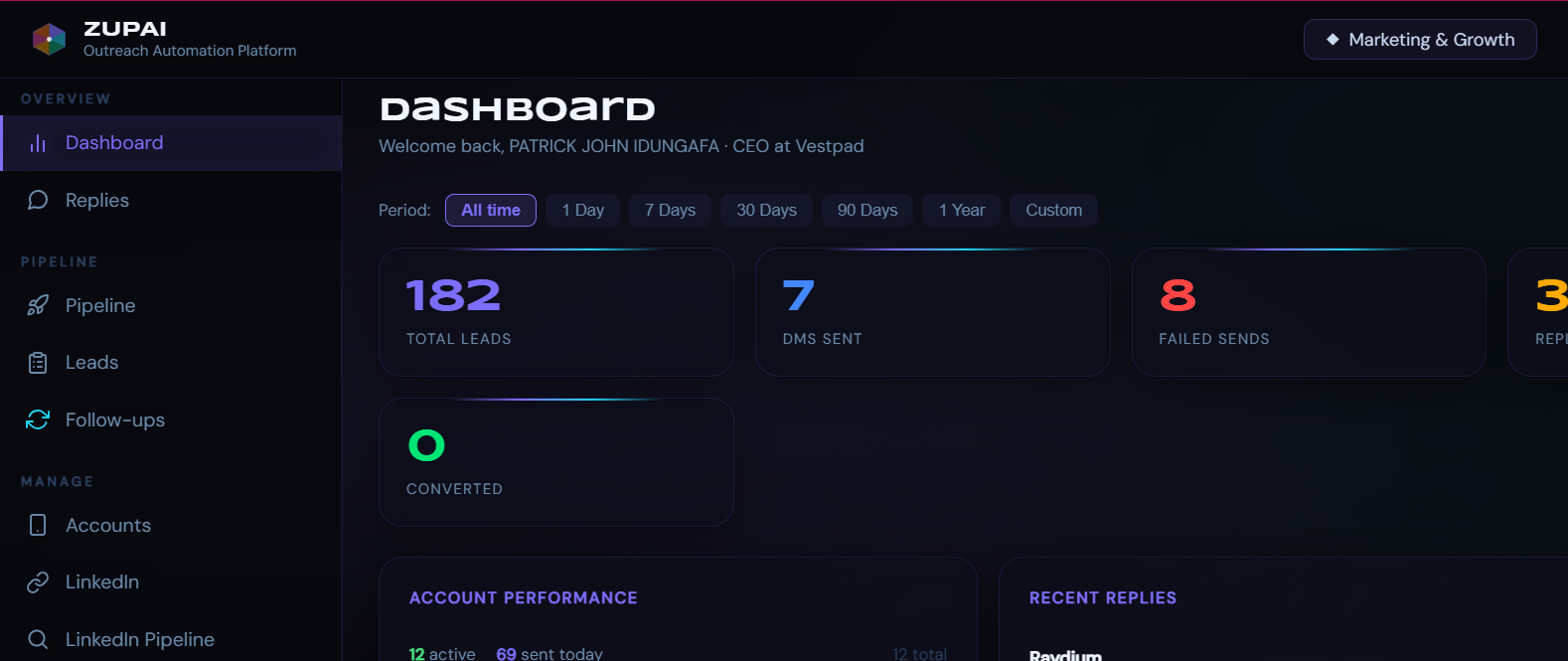
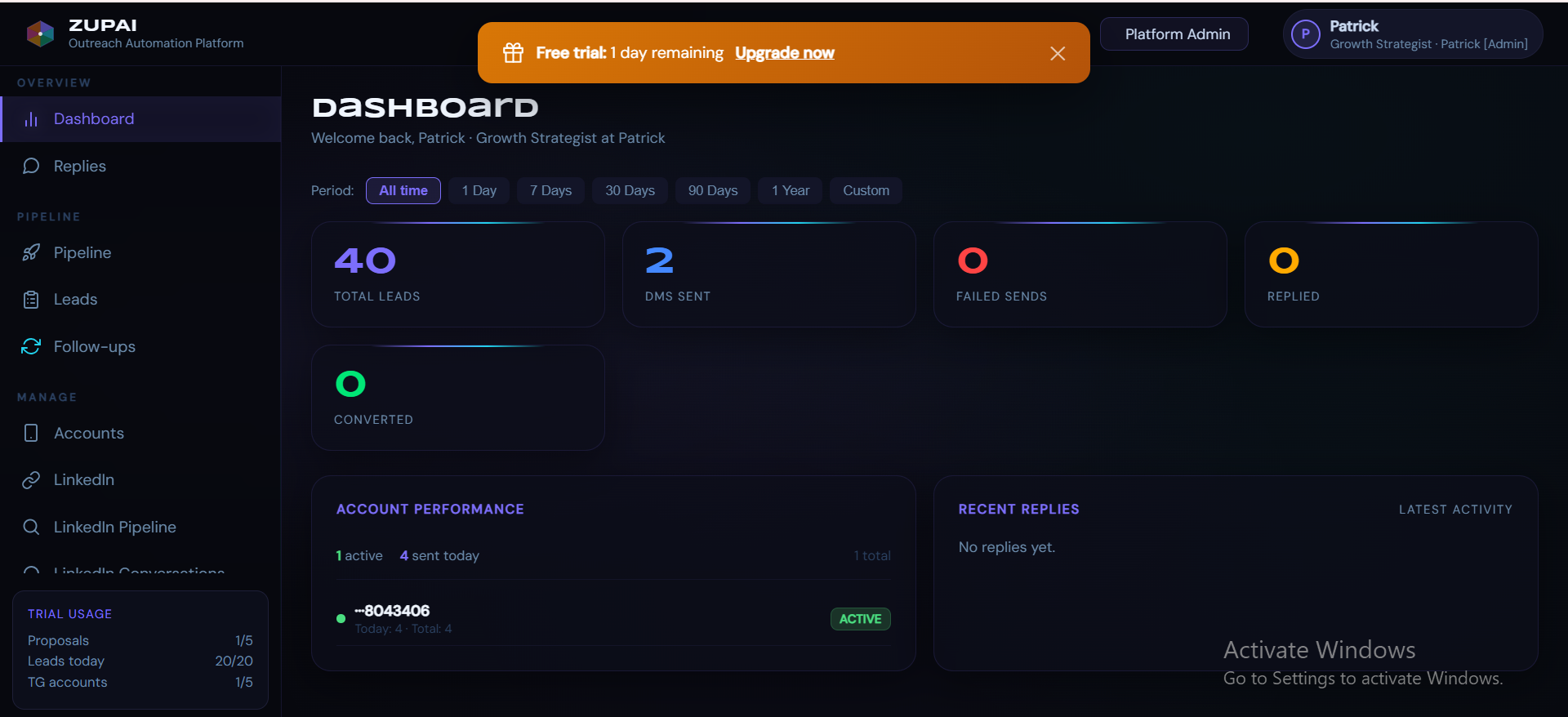
The dashboard is your command center. It shows your total leads, DMs sent, failed sends, replies, and conversions at a glance. Filter by time period (1 day, 7 days, 30 days, etc.) to track performance trends.
B2B Dashboard
The B2B dashboard shows company-wide metrics, account performance across all team members' Telegram accounts, and recent replies from prospects.
B2C Dashboard
Individual users see the same metrics but scoped to their personal activity. The trial usage widget in the bottom-left shows your remaining quota for proposals, leads, and Telegram accounts.
Company Profile (B2B)
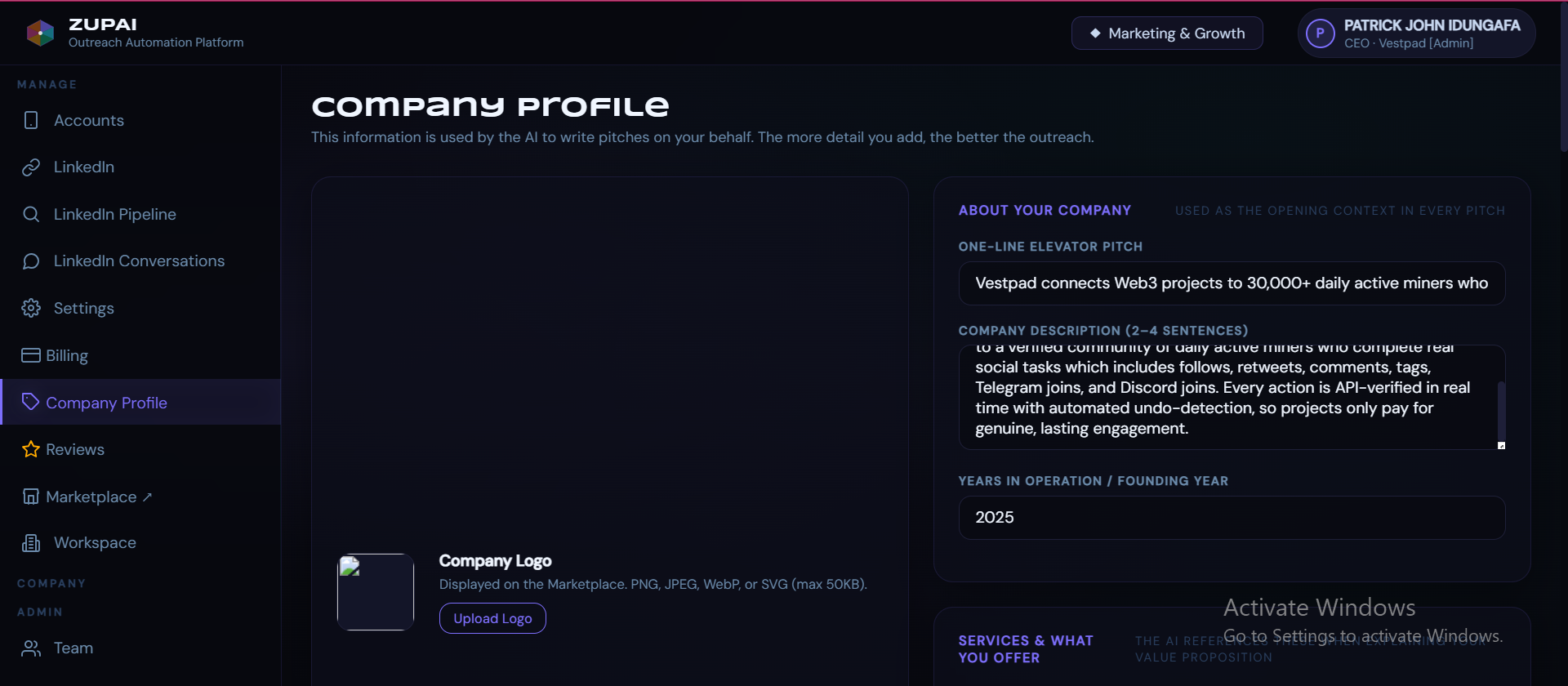
Your Company Profile is the foundation of every AI-generated pitch. The more context you provide, the more personalized and effective your outreach becomes. Fill in your one-line elevator pitch, company description (2-4 sentences), founding year, services offered, and value proposition.
Professional Profile (B2C)
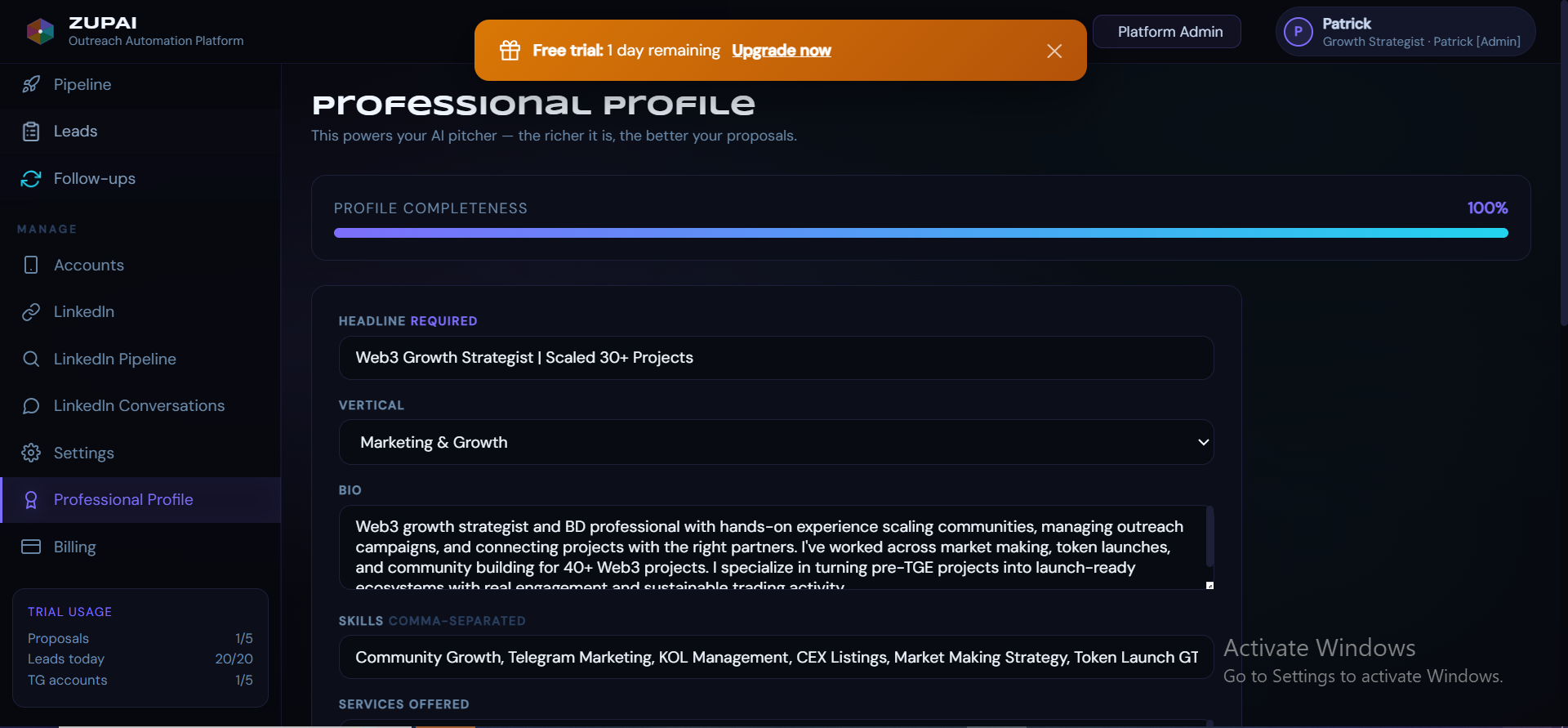
Individual users fill out a Professional Profile instead. This includes your headline, vertical (e.g., Marketing & Growth), bio, skills, and services offered. The AI writes pitches in first-person using this information - "I've scaled 30+ projects" rather than "We at Company X."
Connecting Telegram Accounts
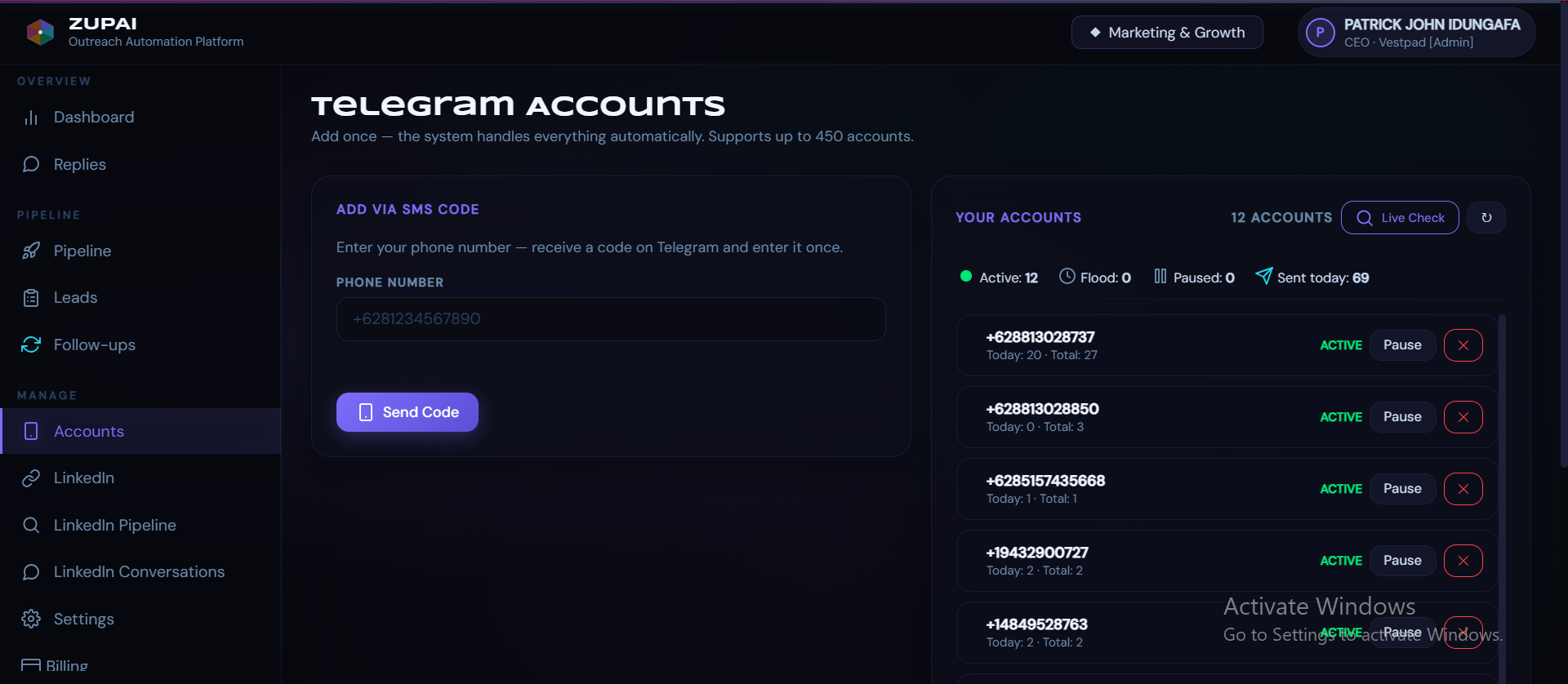
Zupai sends outreach via your own Telegram accounts. To connect one, enter the phone number, receive an SMS code from Telegram, and enter it in the platform. The system handles everything after that - account rotation, daily limits, flood protection, and health monitoring.
Account Status Indicators
| Status | Meaning | Action |
|---|---|---|
ACTIVE | Account is healthy and ready to send | None needed |
FLOOD | Telegram rate-limited this account | Auto-resets after 6 hours |
PAUSED | You manually paused the account | Click Pause/Resume to toggle |
RESTRICTED | Telegram flagged the account | Wait 24-48 hours, or use a different account |
Settings & Auto-Reply
The Settings page controls your outreach behavior and AI reply configuration.
Outreach Limits
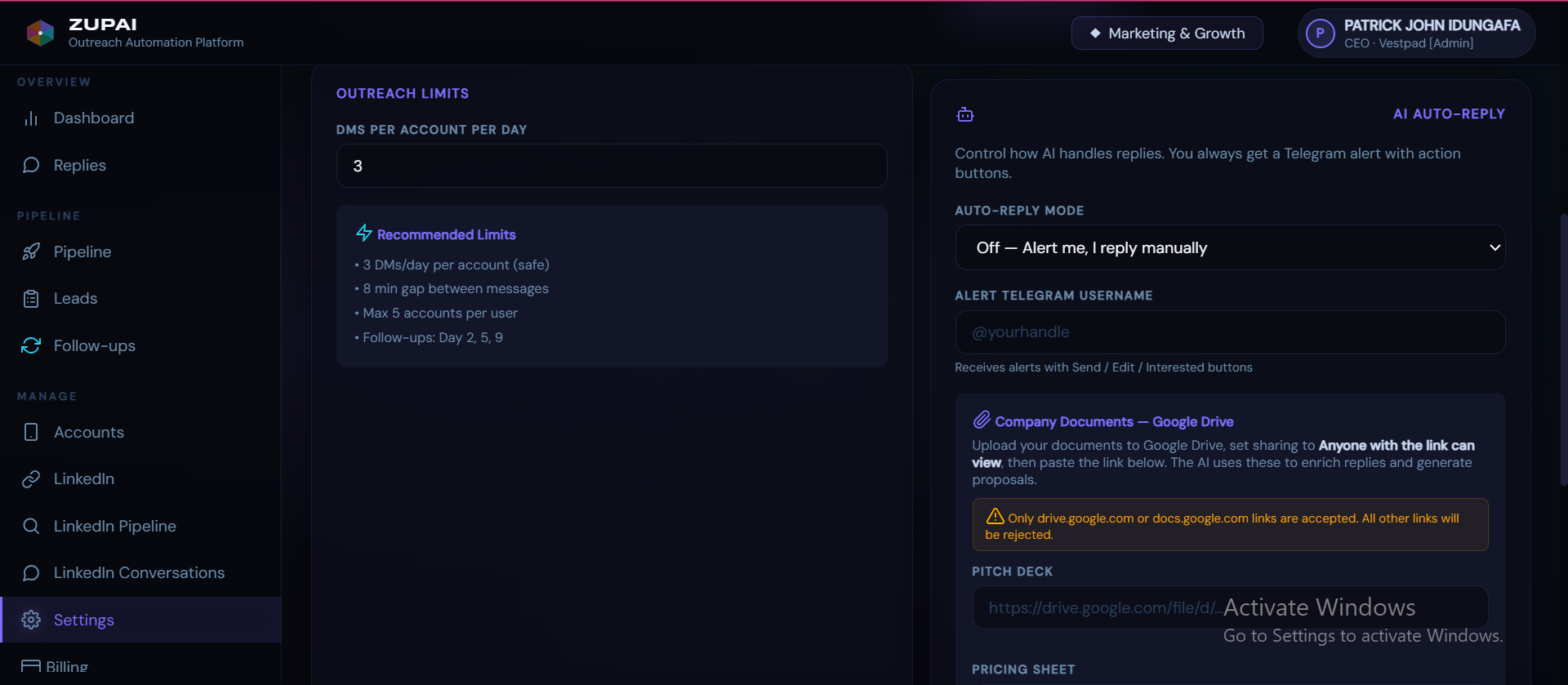
Set how many DMs each Telegram account sends per day. The default safe limit is 5 DMs per account per day with 8-minute gaps between messages, adjustable from 1 to 30. Higher limits increase throughput but also increase the chance of Telegram flagging your account.
AI Auto-Reply
Choose how the AI handles incoming replies from prospects. Options include fully automatic replies (AI responds instantly), Telegram alert mode (you get notified and decide), or manual-only. Even in auto mode, you always get a Telegram notification with action buttons to review or override.
Company Documents
Upload your pitch deck, pricing sheet, and offer document via Google Drive links. The AI uses these to enrich proposals and give more detailed, accurate responses when prospects ask about pricing or services.
Pipeline - The 5-Step Workflow
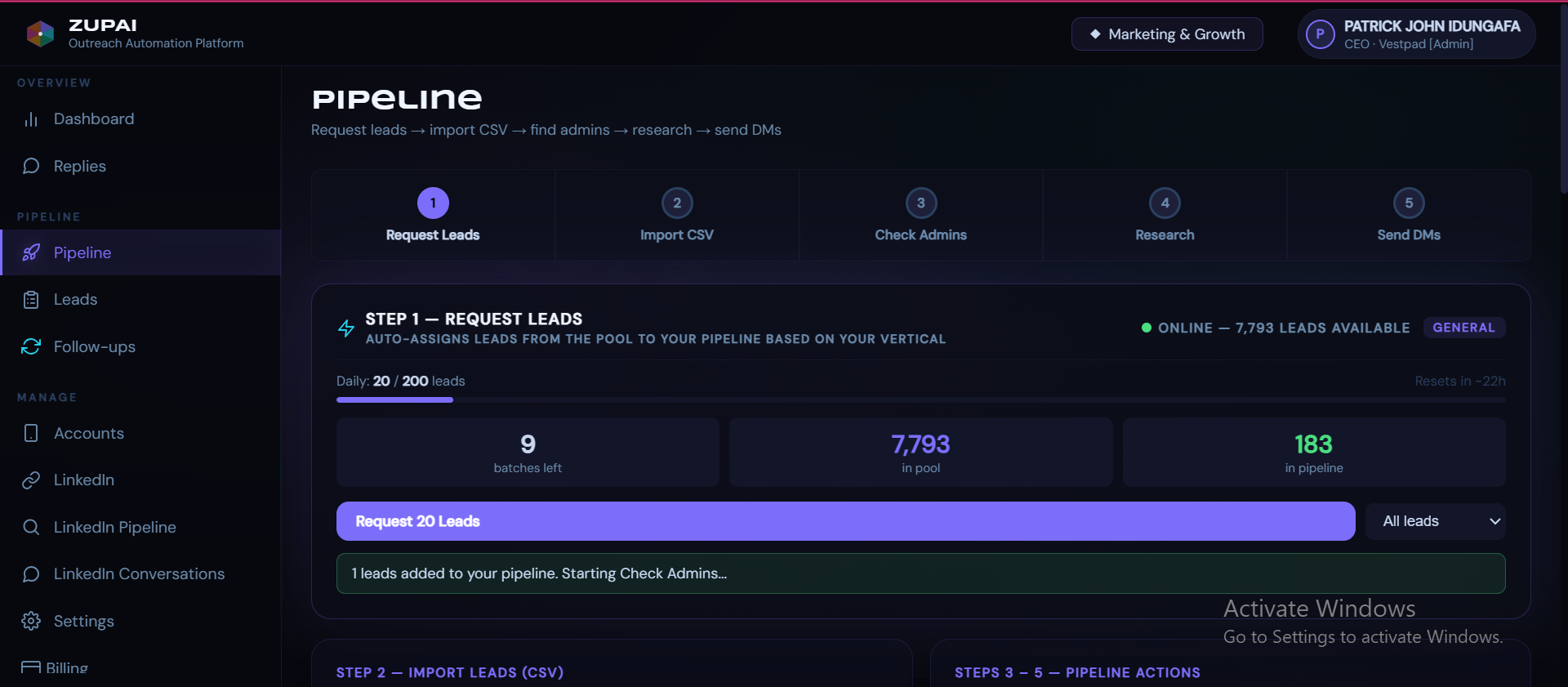
The Pipeline is where you build and execute your outreach campaigns. It follows a clear 5-step flow: Request Leads → Import CSV → Check Admins → Research → Send DMs.
Step 1: Request Leads
Click Request Leads to pull fresh prospects from Zupai's lead pool into your pipeline. Leads are matched to your vertical (Marketing & Growth, Market Making, CEX Listings, etc.) and deduplicated so you never get a lead another user in your company already has.
Request from Pool
Click the "Request 20 Leads" button to pull a batch. Your daily quota is per seat and depends on your plan (B2B Starter: 15/day per seat, Pro: 20/day per seat, Enterprise: 35/day per seat). Across a full team that is 45/day for Starter (3 seats) and 200/day for Pro (10 seats). The quota resets daily.
Import CSV (Optional)
Have your own lead list? Upload a CSV with columns for project name, ticker, Telegram URL, and optionally website and category. Bulk imports support up to 1,000 rows.
Step 3: Check Admins
Check Admins
Zupai scans each lead's Telegram group to find the right decision maker - Founders, CEOs, and CTOs are prioritized over Community Managers or Moderators. Leads with no reachable admin are automatically skipped, saving your AI credits.
Step 4: Research & Generate Pitches
AI Research & Pitch Generation
Claude AI researches each lead (on-chain data, team, stage, recent activity) and generates three pitch variants: Short, Medium, and Long. Each is personalized to the specific project and written in your company's voice. You can preview, edit, or regenerate any pitch before sending.
Step 5: Send DMs
Automated Send
Hit Send DMs and the system handles the rest. Messages are distributed across your Telegram accounts, spaced 8 minutes apart per account, with automatic rotation if an account hits a flood wait. You can monitor progress in the send queue with live countdown timers.
Managing Leads
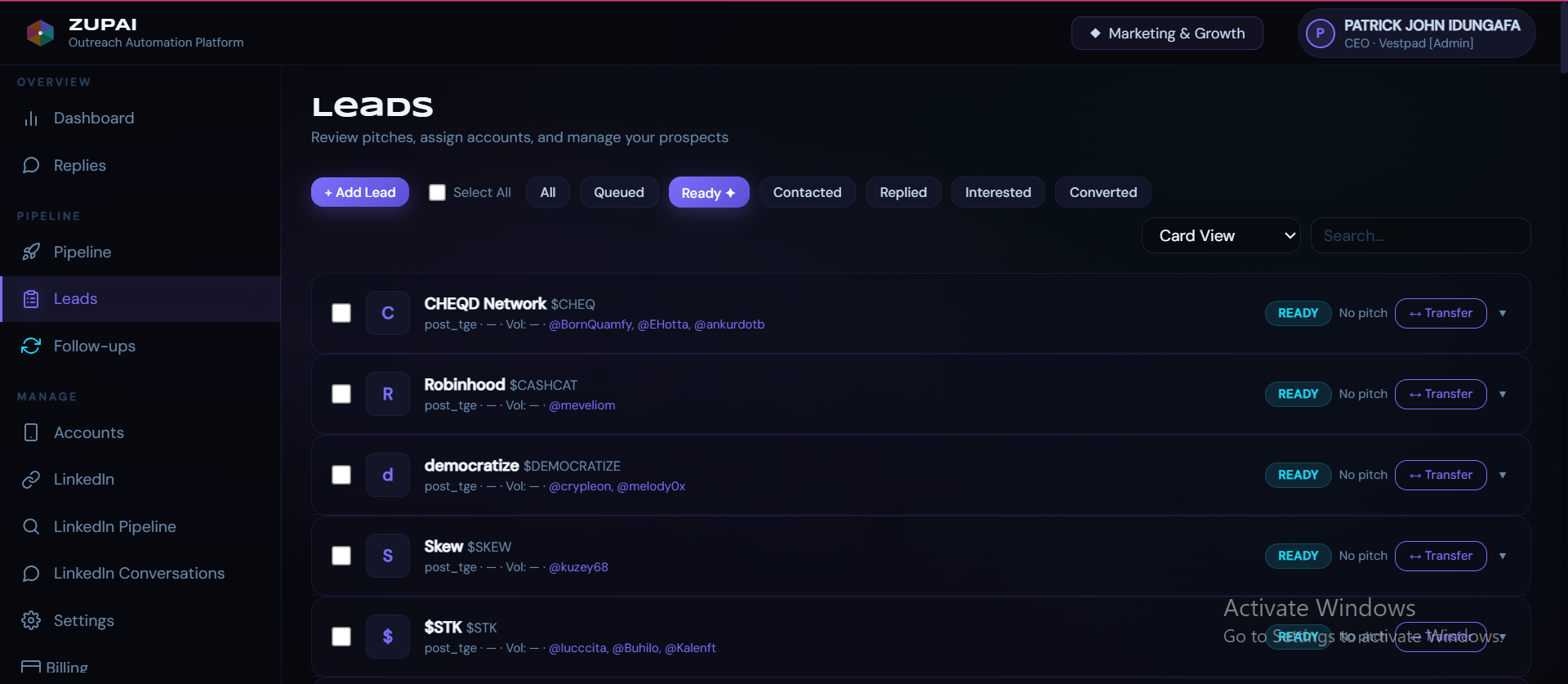
The Leads page shows every prospect in your pipeline with their current status: Queued, Ready, Contacted, Replied, Interested, or Converted. Use the filter tabs to focus on specific stages, search by name, and switch between Card View and Table View.
Lead Actions
Each lead card shows the project name, ticker, stage (pre_tge/post_tge), and identified admin usernames. From here you can generate or regenerate pitches, view/edit the pitch text, transfer the lead to a teammate, or manually add the lead to a send queue.
Replies & Conversations
When a prospect replies to your outreach, it appears in the Replies page in real-time. Conversations are threaded by project, showing the full message history between your accounts and the prospect. Status badges (QUALIFYING, PROPOSAL, etc.) indicate where each conversation stands in your sales flow.
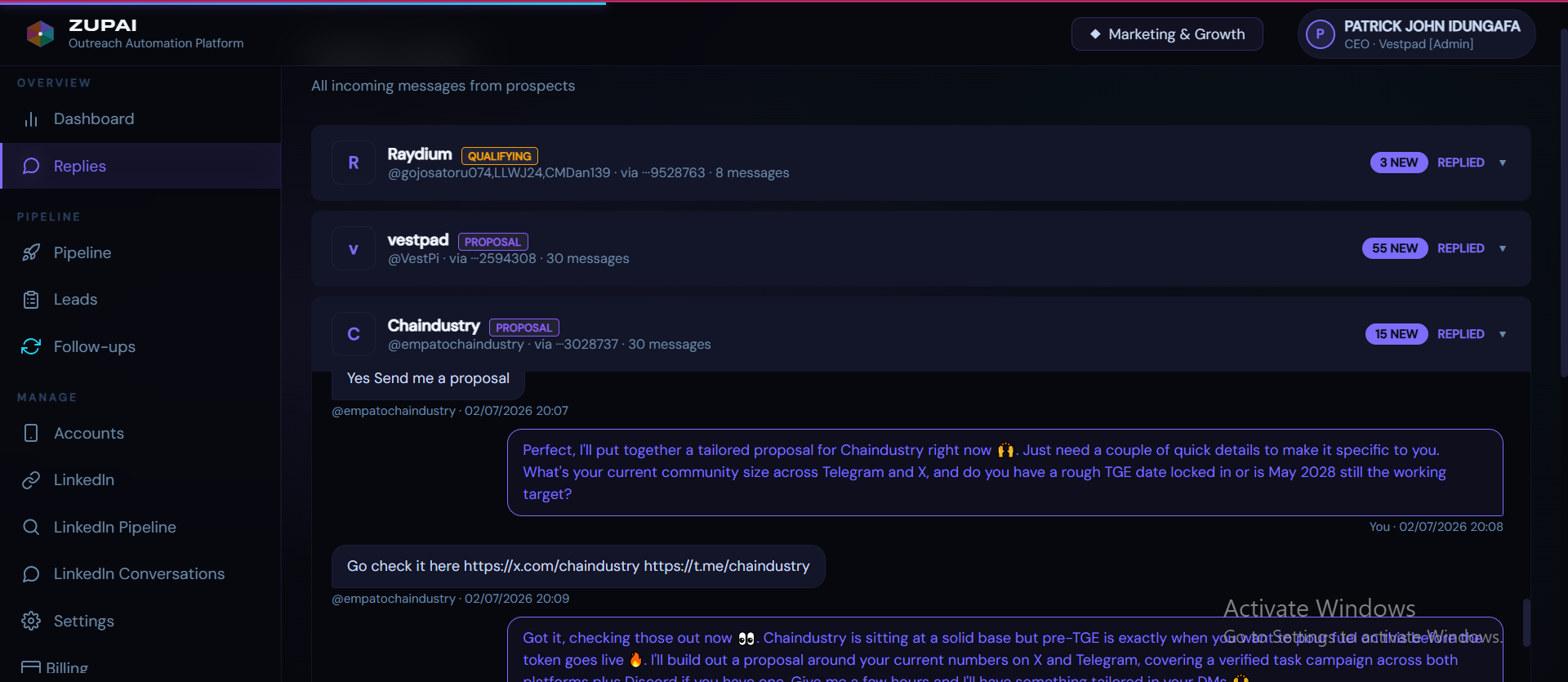
When a prospect says "send me a proposal," the AI detects this intent and can automatically generate a tailored proposal using your company documents, CoinGecko data on the prospect's token, and your pricing structure.
Follow-ups
Zupai automatically generates follow-up messages on Day 2, 5, and 9 after the initial outreach. Each follow-up (F1, F2, F3) is context-aware - it references your original pitch and adds a new angle to re-engage prospects who didn't respond.
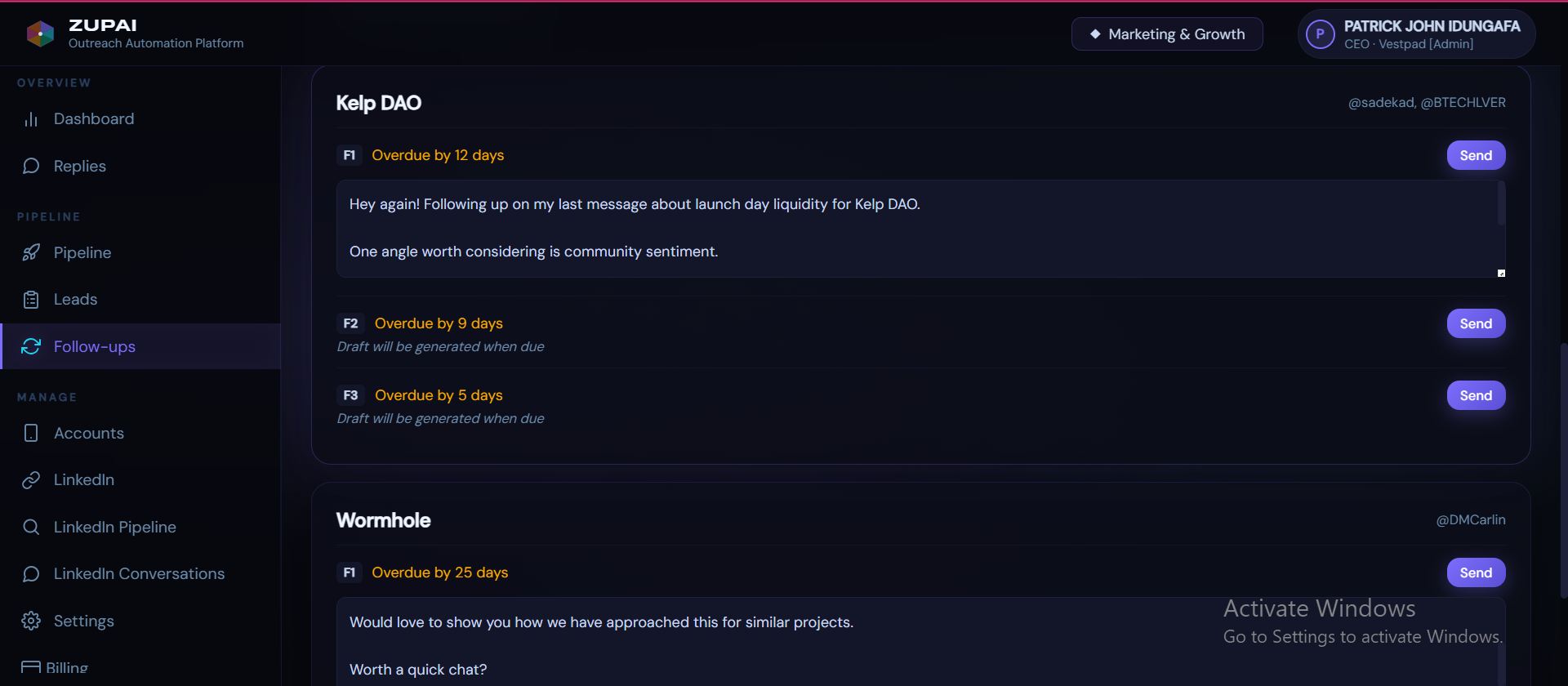
Follow-ups are sent from the same Telegram account that sent the original pitch, maintaining conversation continuity. You can preview and edit each follow-up before sending, or click Send to dispatch immediately.
Proposals
When a prospect is interested, Zupai generates a full HTML proposal enriched with live CoinGecko data about their token (price, market cap, volume, exchange listings). The proposal uses your company branding and includes your pricing tiers, services, and a tailored pitch specific to their project's needs.
LinkedIn Outreach
Zupai supports LinkedIn outreach alongside Telegram. Connect your LinkedIn account, and the system manages connection requests and messages with daily limits (40 connections/day, 20 messages/day with Premium; 80 connections, 30 messages with Sales Navigator).
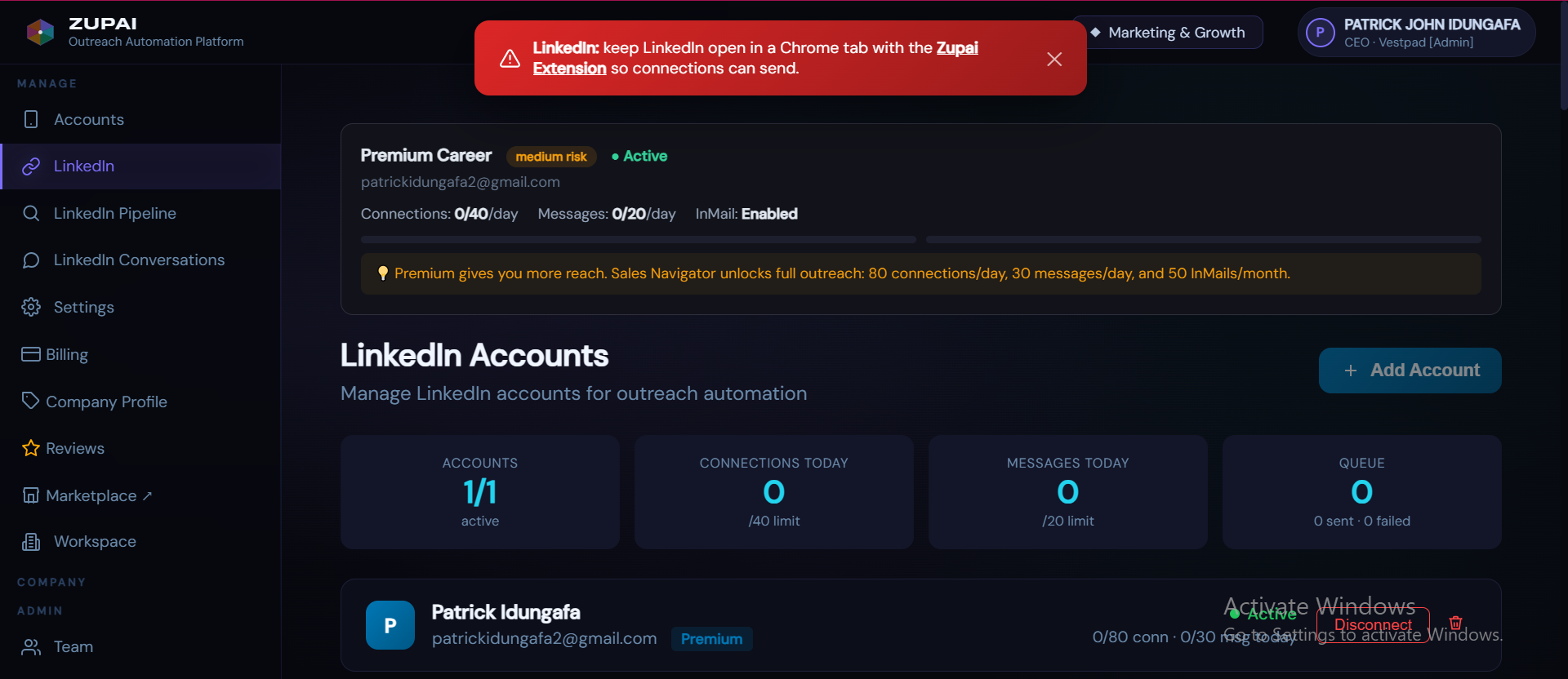
LinkedIn Pipeline
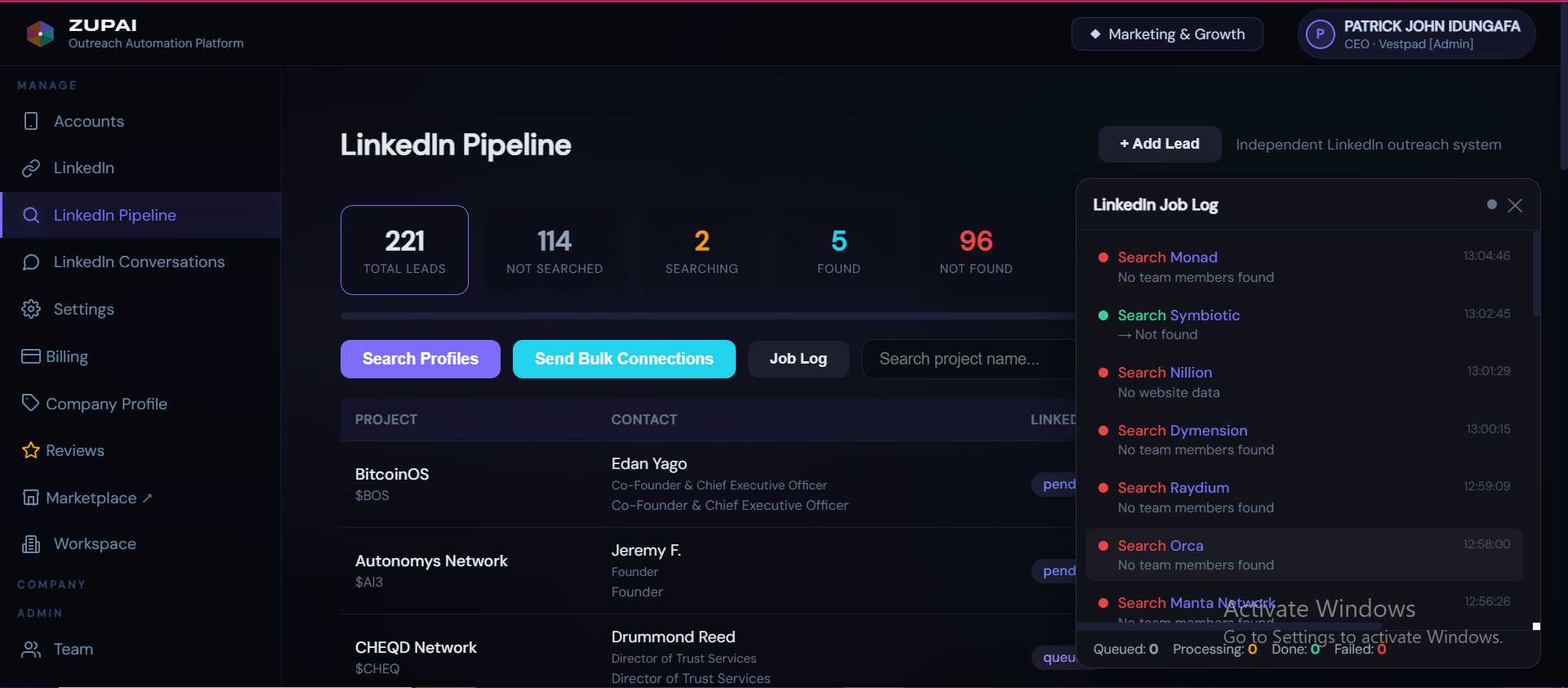
The LinkedIn Pipeline works like the Telegram pipeline but for LinkedIn contacts. Search for team members of your leads, send bulk connection requests, and track which contacts have been found, are pending, or weren't located. The Job Log shows real-time search progress.
Billing & Plans
B2B Plans
| Plan | Price | Seats | TG Accounts | Leads/Day (per seat) | AI Credits |
|---|---|---|---|---|---|
| Starter | $499/mo | 3 | 10/user | 15 per seat (45/day across 3 seats) | 6,000 |
| Pro | $999/mo | 10 | 10/user | 20 per seat (200/day across 10 seats) | 20,000 |
| Enterprise | Custom ($2,000+) | Unlimited | 10/user* | 35 per seat | Unlimited |
*Enterprise TG limits can be increased by platform admin on request.
B2C Plans
| Plan | Price | TG Accounts | Leads/Day | Proposals/Mo | |
|---|---|---|---|---|---|
| Trial | Free (5 days) | 3 | 10/day | 3 | No |
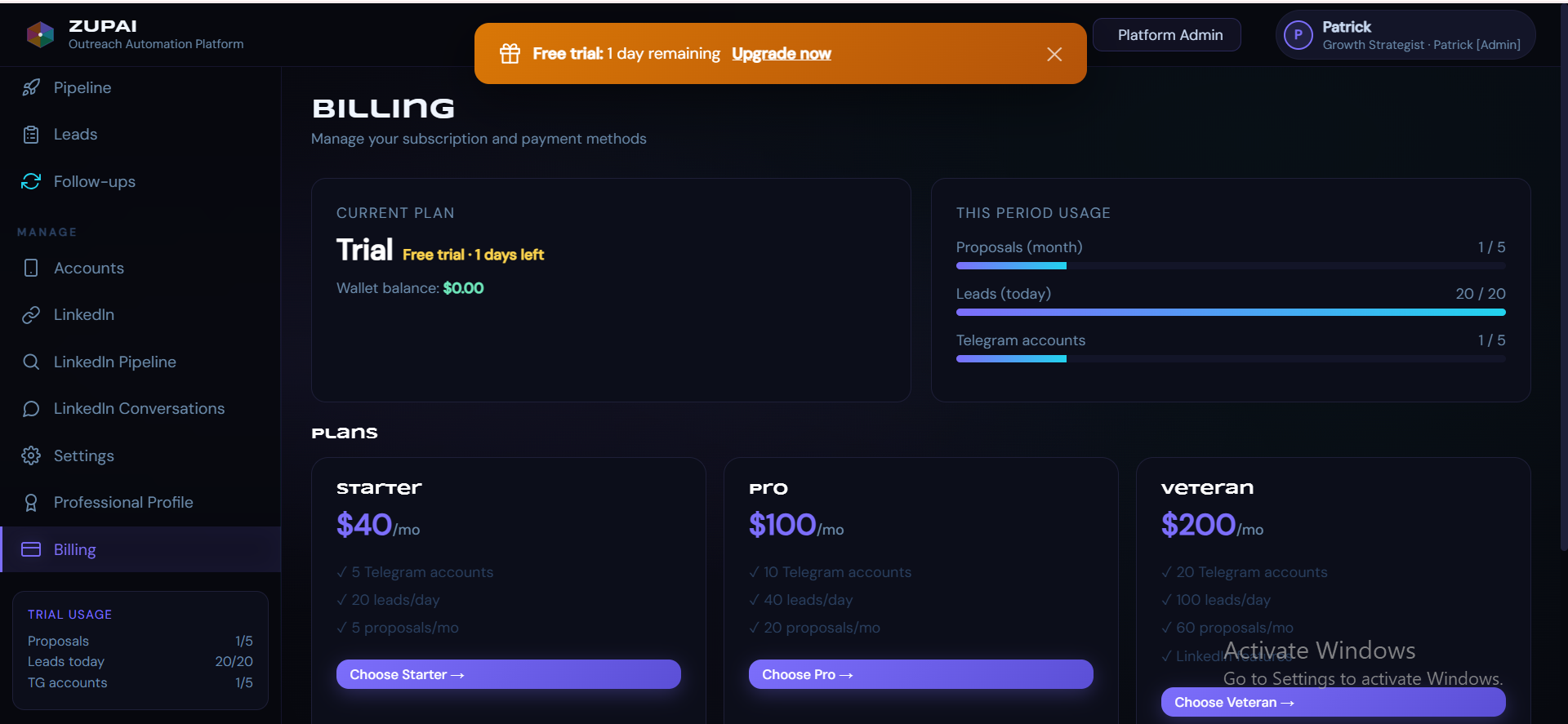
| Starter | $40/mo | 5 | 10 | 5 | No |
| Pro | $100/mo | 10 | 25 | 20 | No |
| Veteran | $200/mo | 20 | 35 | 60 | Yes |
Payment
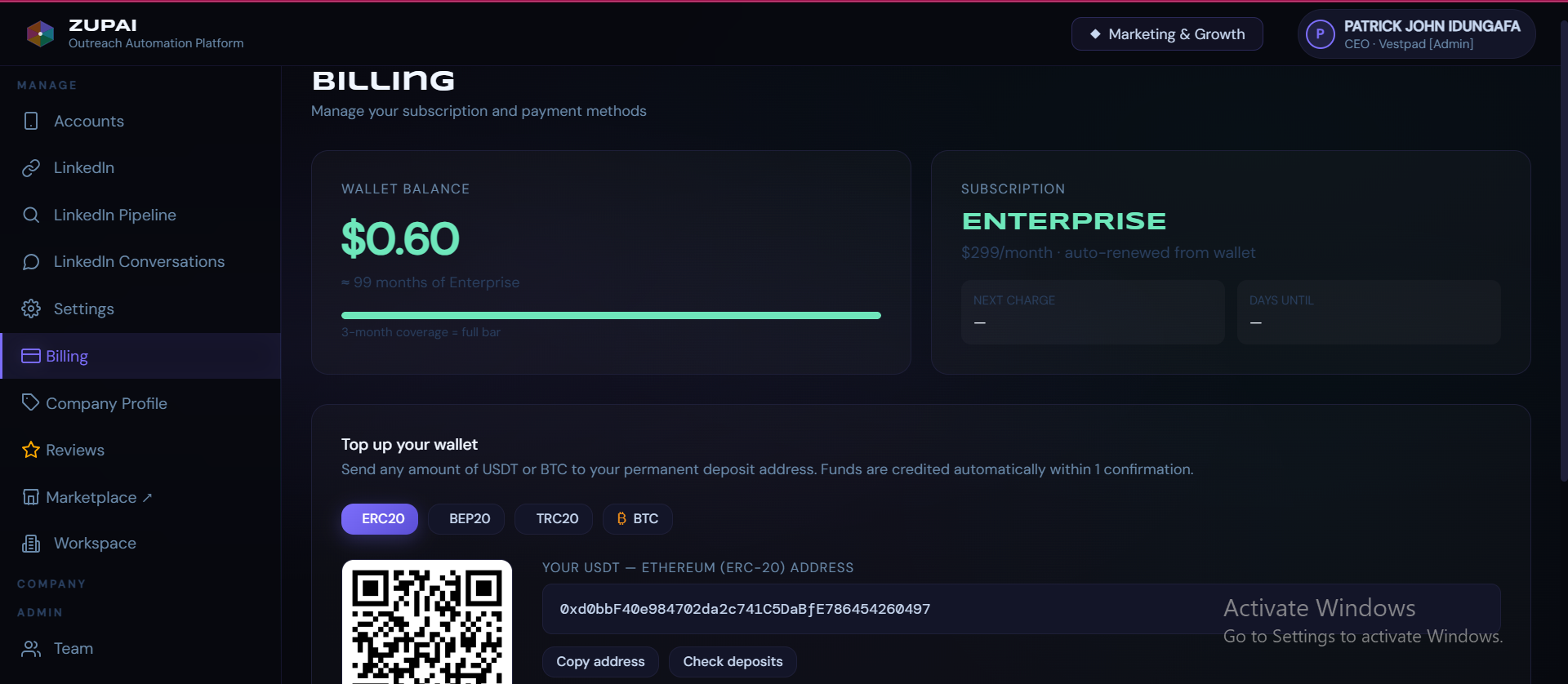
All plans are paid via crypto wallet. Deposit USDT (ERC20, BEP20, or TRC20) or BTC to your unique deposit address. Funds are credited automatically within 1 confirmation. Your subscription auto-renews monthly from your wallet balance.
Plan Limits Reference
Telegram Account Limits
| B2B (All Plans) | B2C Starter | B2C Pro | B2C Veteran | |
|---|---|---|---|---|
| Max usable TG accounts | 10 per user | 5 | 10 | 20 |
| DMs per account/day | Configurable (default 5) | Configurable (default 5) | Configurable (default 5) | Configurable (default 5) |
| Gap between messages | 8 minutes | 8 minutes | 8 minutes | 8 minutes |
Recommended Safe Settings
Troubleshooting
My account keeps getting flood-waited
Reduce your DMs per account per day to 2-3 and ensure accounts have been warmed (used normally for 1-2 weeks before outreach). Accounts with no prior chat history get flagged faster. Flood waits auto-reset after 6 hours.
NOT_A_USER errors on leads
This means the admin username found is a Telegram channel, not a personal account. The system automatically skips these leads. If you manually added the admin, double-check that it's a user account (starts with @) not a channel.
PRIVACY_PREMIUM_REQUIRED
The prospect has privacy settings that prevent receiving messages from non-contacts. Zupai skips these leads automatically. This is a Telegram restriction, not a platform issue.
Pitches sound generic
Fill in your Company Profile or Professional Profile completely - especially the elevator pitch, description, services, and value proposition. The AI can only personalize as much as the context you give it. Also ensure company documents (pitch deck, pricing) are linked in Settings.
Leads not appearing after Request
Check your daily quota in the Pipeline page. If the bar shows full (e.g., "20/20"), your limit has been reached for the day and will reset at midnight UTC. Upgrade your plan for higher daily limits.
Frequently Asked Questions
© 2026 Zupai. The Outreach OS for Web3.